
Your company’s knowledge, the moment it’s asked for
Your workflows, rules and policies in one knowledge base. The employee in the store types or speaks a question; Yetkin Assistant finds the answer in your own article and shows which page it came from.

If the sale can be found by the customer’s phone number or card, the return is accepted. If not, no cash refund is given; offer an exchange or a gift card.
Open article →Picture a senior colleague in every store who knows the rulebook by heart and, when asked, opens the binder at the right page. Yetkin Assistant is that colleague: ready on every shift in every store, always showing where the answer came from.
It never claims to know what it doesn’t; if the article has no answer, it says so.The rule is written down, but not found when it’s needed
In store chains, policies and procedures usually live in e-mails, folders or the memory of a few experienced people. New employees look for someone to ask, the customer waits, and every store applies the rule a little differently.
The customer doesn’t wait
The sales associate gets the answer on their phone in seconds, in front of the customer.
The same rule in every store
A hundred stores read the same article; when the rule changes, everyone sees the new version.
Faster onboarding
Even if training is forgotten, the answer is in their pocket: “What should I wear?” no longer interrupts the manager.
Five questions asked in stores every day
The policy texts below are examples. In real use, answers come from the articles you write.
If the sale can be found by the customer’s phone number or card, the return is accepted. If not, no cash refund is given; offer an exchange or a gift card.
Open article →Record the difference with an explanation on the till closing form and inform the store manager. The report is signed with the manager on the same day.
Open article →The window is set up after closing on the day before the season opens. A photo is sent to the regional manager by 10:00 on opening morning.
Open article →The store team wears the season outfit and a name badge. The outfit is collected from the store manager on your first day.
Open article →Call 112 first if needed, then inform the store manager. Record the incident on the incident form the same day.
Open article →No request is opened without your approval. The assistant doesn’t guess; a gap is a sign of a new article to add.
Write it once, everyone reads from the right place
The Document Center is part of Yetkin Portal. Authorised people write and publish articles; Mobile Plus and Portal users read, search and ask the assistant.
- Clear structure: library, category, space and article; articles can have sub-articles
- Rich content: text editor, image and PDF attachments, Turkish and English versions
- Writing history: draft, published and archived states; earlier versions are kept
- Public if you want: share a chosen article through a link that needs no sign-in
- WriteReturns policy, till procedure, window guide; bring the content of your existing documents into the editor.
- Choose who can see itLink the article to an audience by role or person: only store teams, only regional managers.
- Open it to the assistantWith “Open to assistant” per space, you decide which knowledge is used in answers.
- PublishA published article is open to reading and to the assistant right away; archived articles drop out of answers.
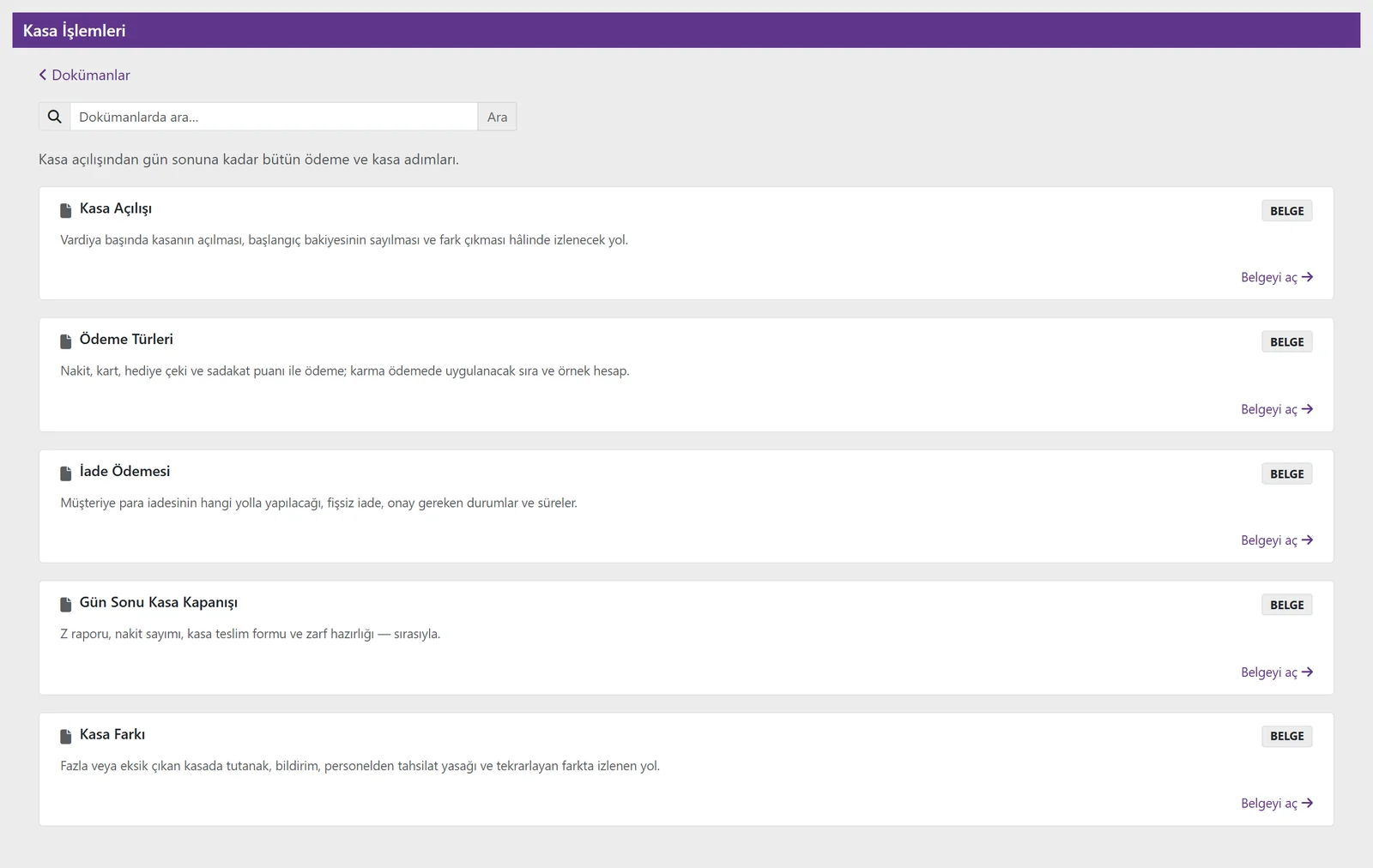
A space in the Document Center: Till operations. Everything the store team looks up, from till opening to till differences, in one place (Turkish interface).
The right information for the right person
The source is always visible
Each answer shows the space, article and section; “Open article” shows the whole text.
Respects permissions
An article a user cannot see is not given to the assistant either; a regional manager’s document stays hidden from store teams.
Doesn’t guess
If the match is weak it gives no answer; it says so and, with your approval, turns the question into a support request.
Protects data
Personal and financial data is not sent to the AI model; actions are written to the audit log.
It doesn’t just answer, it starts the work
The same assistant also creates leave requests. It asks for missing details with options, summarises what it will do and waits for your approval.
- Create leave requests, full-day or hourly
- Check remaining leave and request status
- Dictate with the microphone; audio is not recorded
- You decide at every step that needs approval
Yetkin Assistant and the Document Center
What can I add to the knowledge base?
Any text such as policies, procedures, workflows, regulations and guides, written as articles. Images and PDF files are added as attachments. You can turn existing texts into articles by pasting them into the editor.
Can the assistant give wrong information?
The assistant takes answers only from articles you have published and opened to it, and shows the relevant section with its source. If there is no suitable match, it does not make one up; it says it could not find it. Answers are only as current as the articles.
Does every employee see every article?
No. You link articles to audiences by role or person; users read, and get answers from, only the articles open to them. An article with no audience selected is open to all users.
Do I decide which articles the assistant uses?
Yes. The assistant uses only published articles in spaces you have opened with “Open to assistant”. Draft and archived articles are not used.
Is it available on mobile and in the Portal?
Yes. Employees use the same knowledge base in Yetkin Mobile Plus, office teams in Yetkin Portal: reading, searching and asking the assistant.
What does setup involve?
Turning your existing documents into articles and defining audiences. We can design the first spaces together; let’s start from your own examples in the demo.
Bring the question your stores ask most.
In the demo, we’ll turn it into an article and ask the assistant together.