
A field app for business partners
Complete customer setups and field work within your permissions, without depending on head office. Menus are built from your role and the scope your organisation defines.
Partner is your field team’s toolbox: the right tool with the right person, and every use on record.
iOS and Android
Your organisation sets up your account; there is no public sign-up.
From setup to lookup
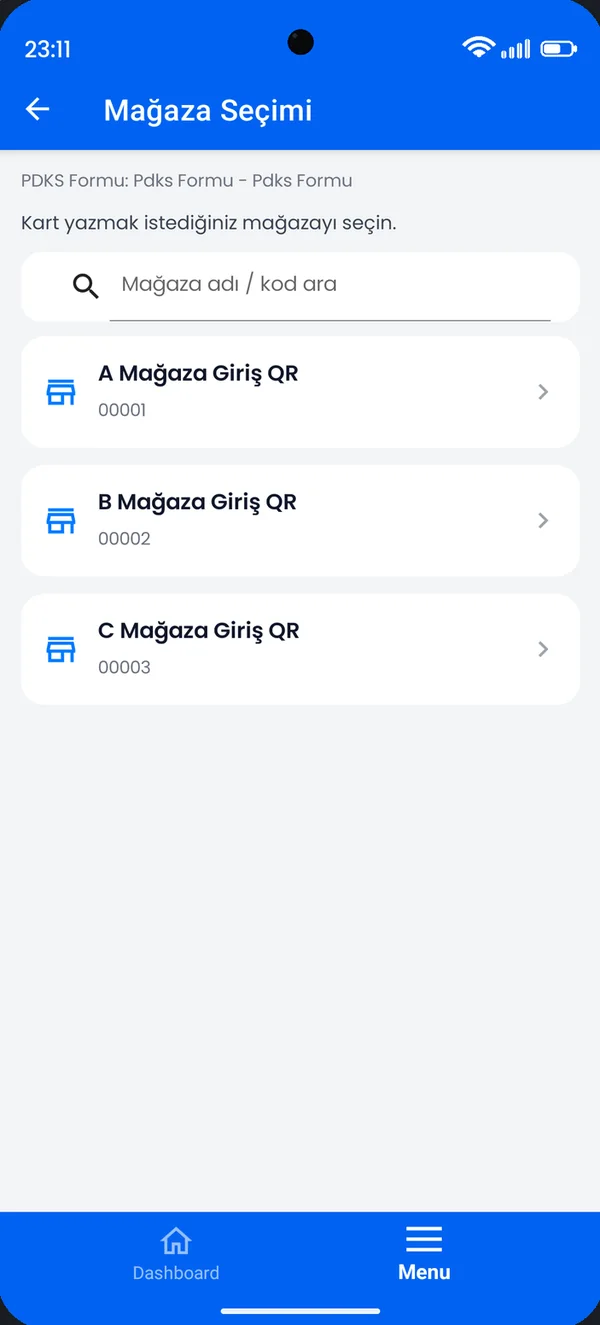
- Select the storeThe organisation’s locations are the same as in Mobile Plus.
- Scan the card’s QR codeThe card is paired with the store.
- Write to the NFC chipThe app checks that the printed QR and the written data belong to the same card, so writing to the wrong card is prevented.
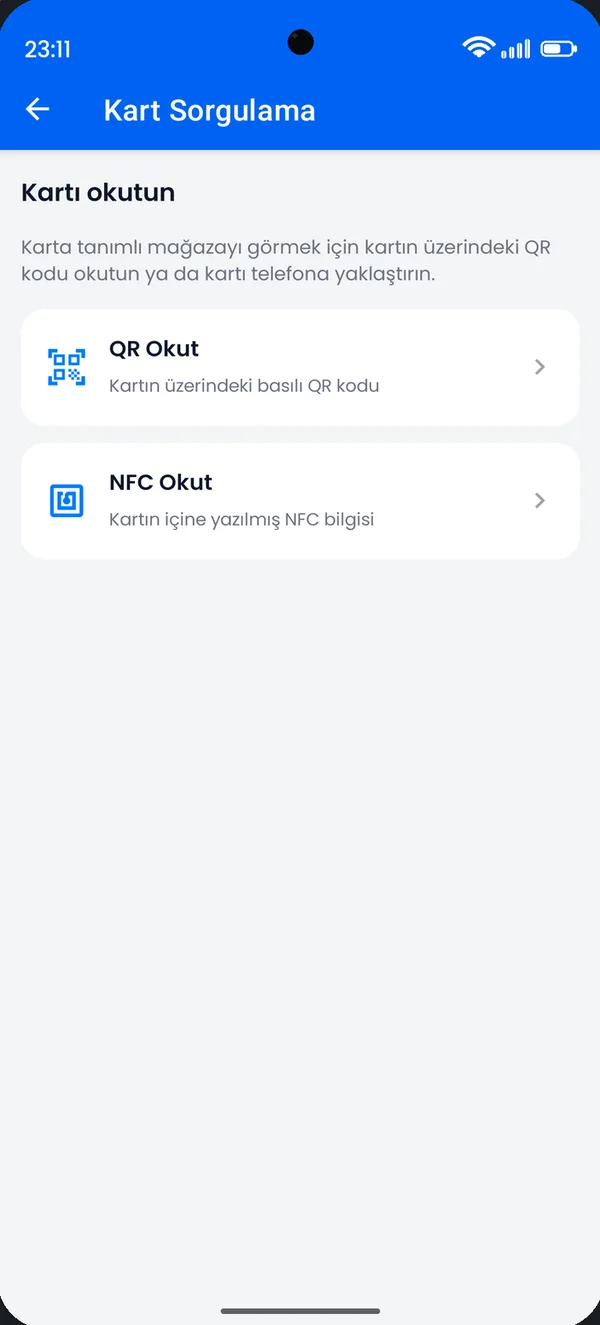
- Look it up when neededSee which store a card belongs to by QR or NFC, and fix a wrong pairing.
Role-based, secure, shared
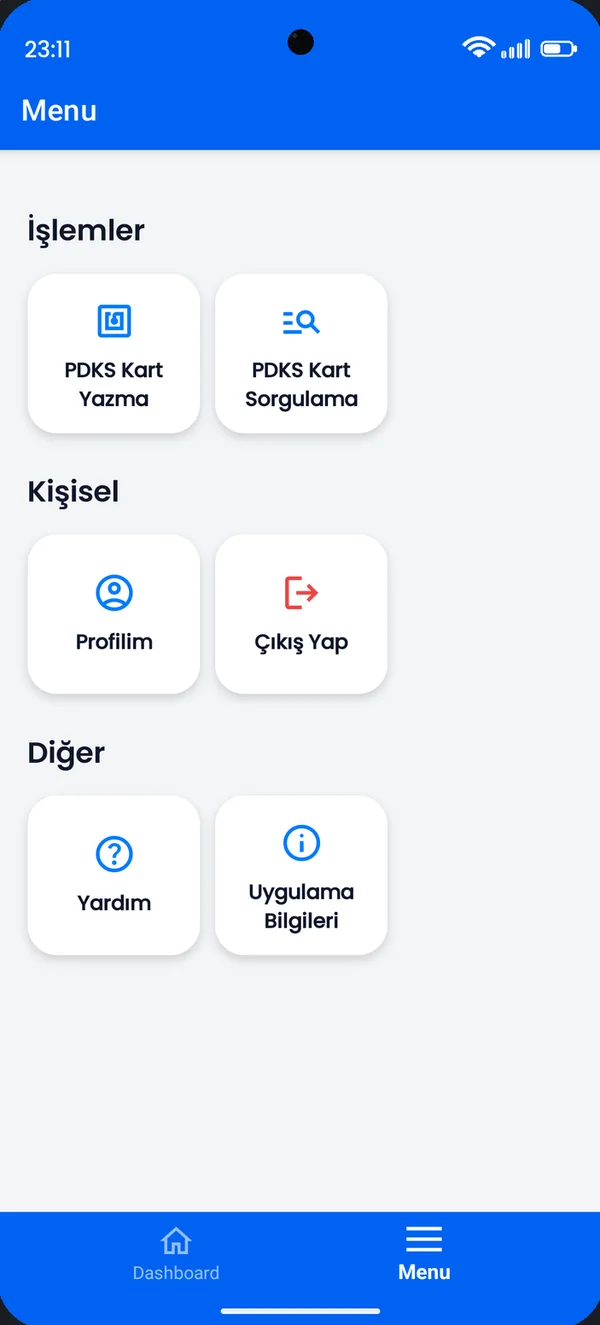
Role-based menu
Actions you are not allowed to perform never appear in the menu.
Corporate accounts
There is no public sign-up; accounts are managed by the organisation’s administrators.
Shared screens
Tasks, calendar, notifications and requests on the same screens as Mobile Plus.
From the real app
Screenshots from the live app; the interface shown is in Turkish.
Menu
Built from your role.
Store selection
Locations consistent with the organisation.
Card lookup
By QR or NFC.
About Mobile Partner
Who can use it?
Authorised employees and business partners of organisations that use Yetkin. You need an account defined by your organisation.
Does it work on devices without NFC?
Card lookup works by scanning the QR code with the camera; writing to a card requires NFC.
How is it different from Mobile Plus?
Plus is for employees’ everyday work; Partner is for teams doing setup and support work. Both use the same Portal services.
Let’s talk about partnering.
Tell us about your expertise and the customers you serve.