
Everyday work in every employee’s pocket
Attendance, shifts, leave, payslips, tasks and product information in one app. Start a request by typing or speaking to Yetkin Assistant. iOS and Android.
Mobile Plus is a front desk for your employees: instead of knocking on separate doors for leave, payslips, shifts and announcements, they reach everything through one door.
iOS and Android
You sign in with your company’s Customer Code; ask HR or your manager for it.
Everything an employee needs
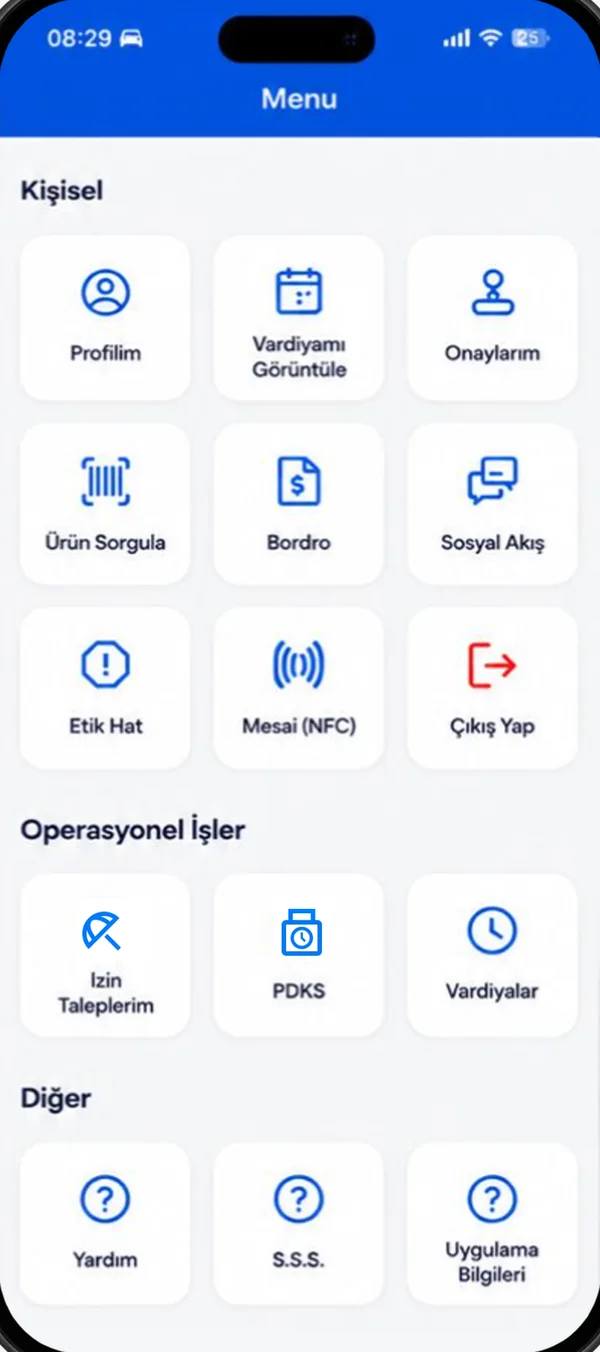
Each menu section appears if the feature is switched on for your company and your role allows it.
Attendance: QR, NFC, location
Scan the store’s QR code or tap the NFC tag. Mobile staff clock in at the nearest store by location.
Shifts and auto planning
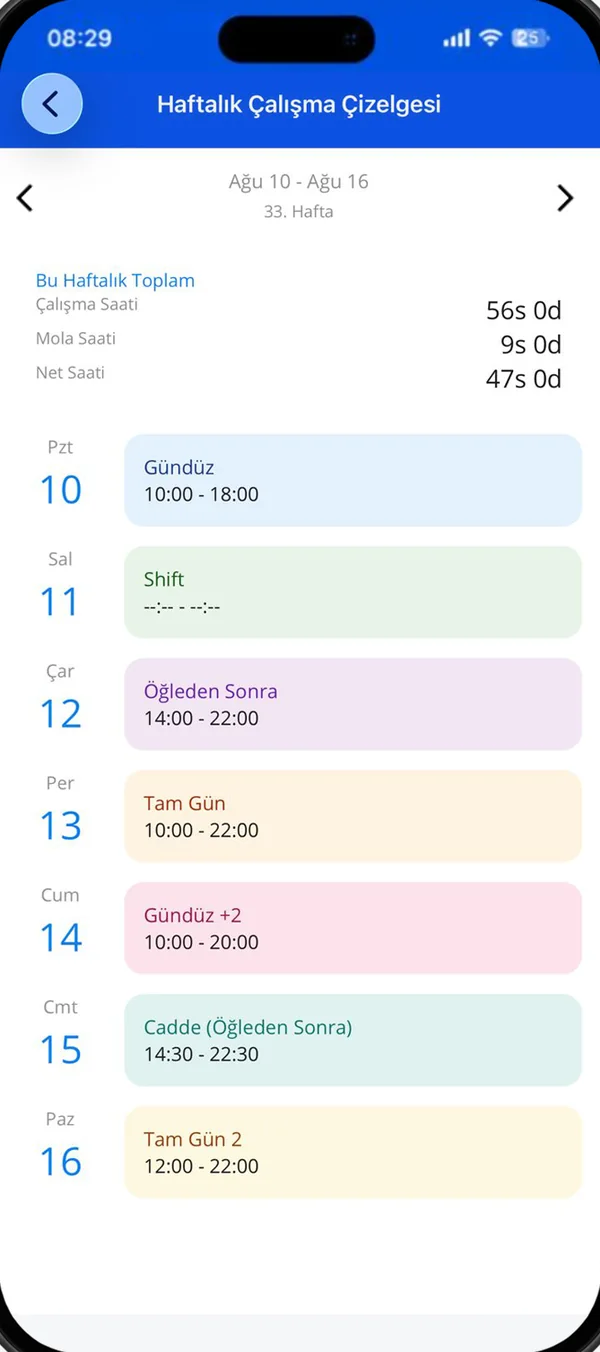
See your weekly plan with exact hours. The manager prepares the week with one button, previews and approves.
Leave and overtime
Request full-day or hourly leave, see your remaining balance and open overtime requests.
My approvals
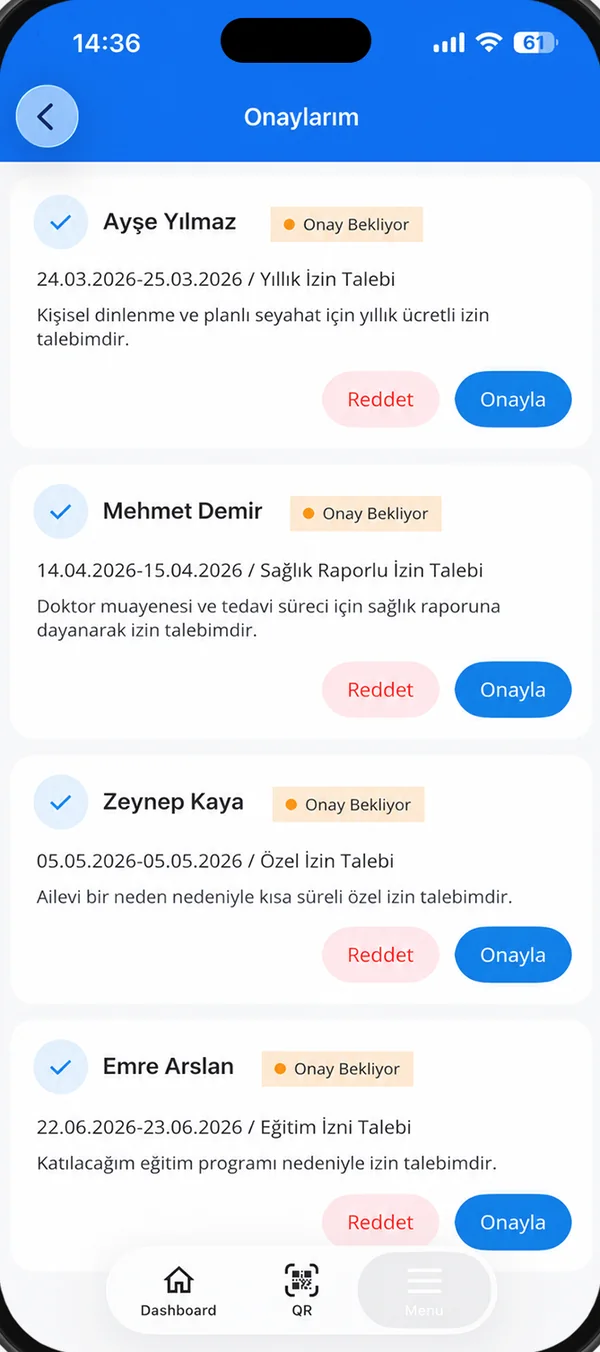
Leave, overtime and weekly plan approvals on one screen; review the whole week before approving a plan.
Payslips
View your payslip as a PDF; approve it with an SMS code or raise an objection.
Products and stock
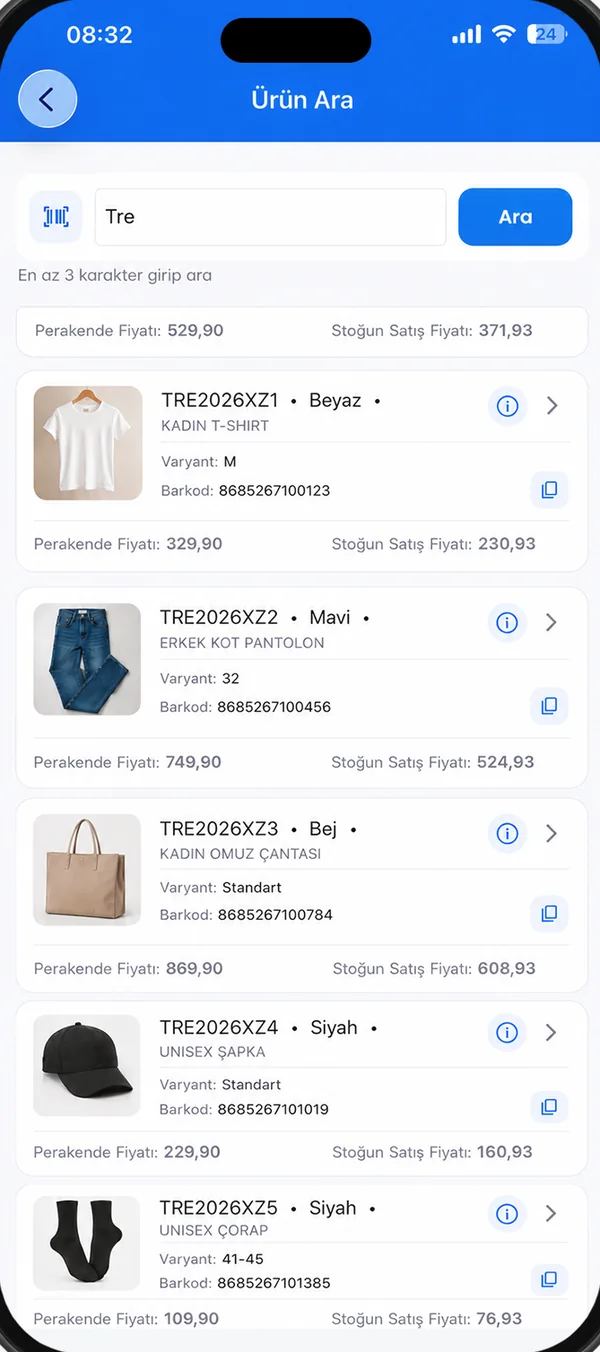
Look up a product by barcode; variants, outfit suggestions, promotions and store stock come live from the ERP.
Checklists
Complete opening, closing and routine checks with photo evidence.
Social feed and announcements
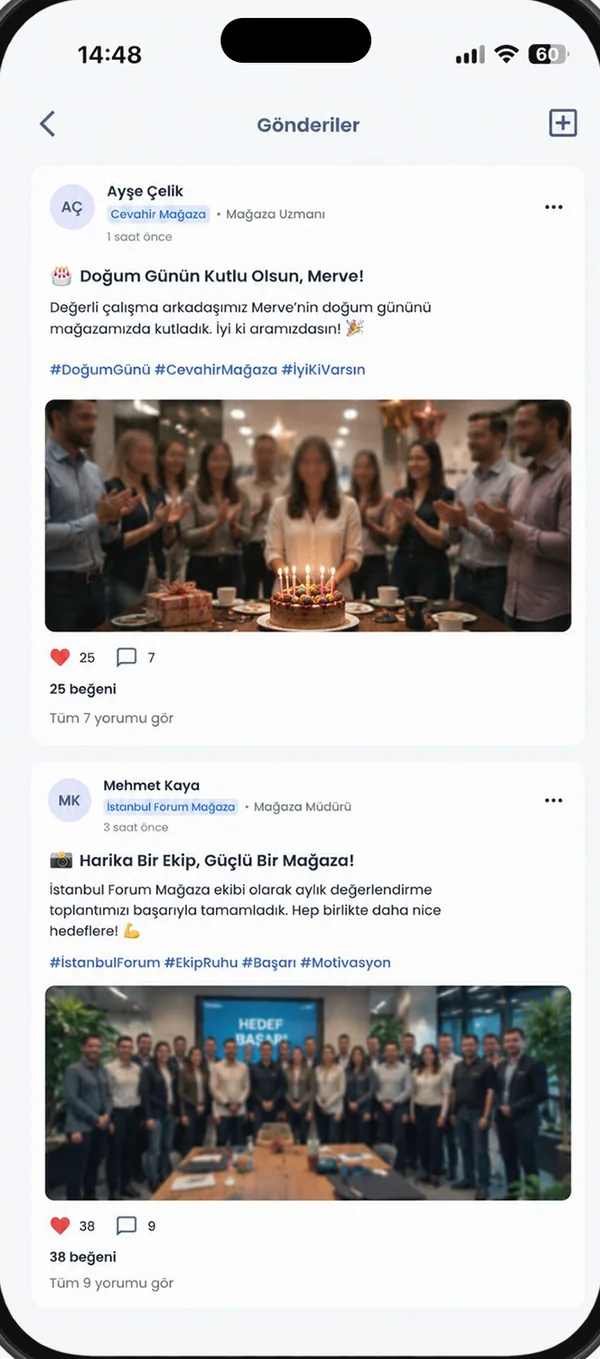
Posts by store, region or role; announcements sent to you; an ethics line with an anonymous option.
Six languages
Shared operational screens in Turkish, English, Spanish, German, French and Italian.
From the real app
Screenshots from the live app; the interface shown is in Turkish.
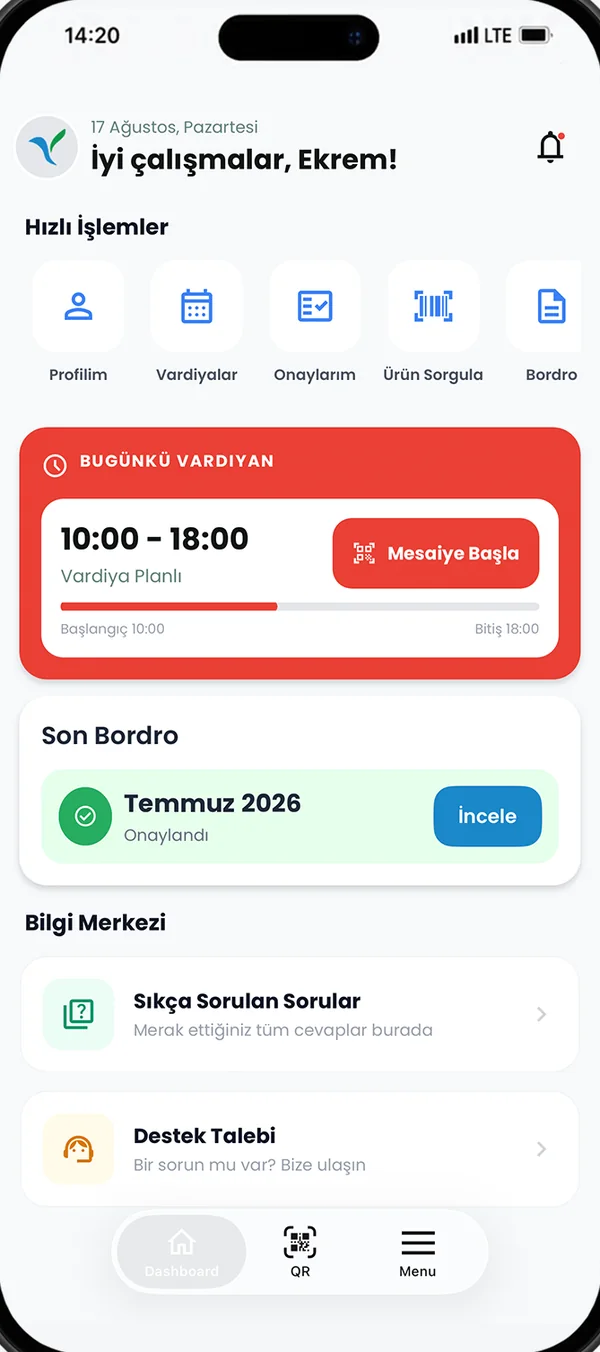
Today at a glance
Shift, quick actions, payslip and help centre in one view.
Shifts
Weekly plan, exact hours and auto planning.
My approvals
Pending approvals in one list, with reasons.
Role-based menu
Everyone sees only the actions they are allowed.
Product lookup
Barcode, variants, stock and promotions.
Social feed
Team posts and announcements.
Type it, it asks what’s missing, it saves with your approval.
The assistant works like a helper who knows the job: it understands what you want, asks for missing details, summarises what it will do and waits for your approval.
- Create leave requests, check remaining leave and request status
- Answers from the user guides, with a link to the article
- Dictate with the microphone; audio is not recorded
- You decide at every step that needs approval

The week’s plan, with one button
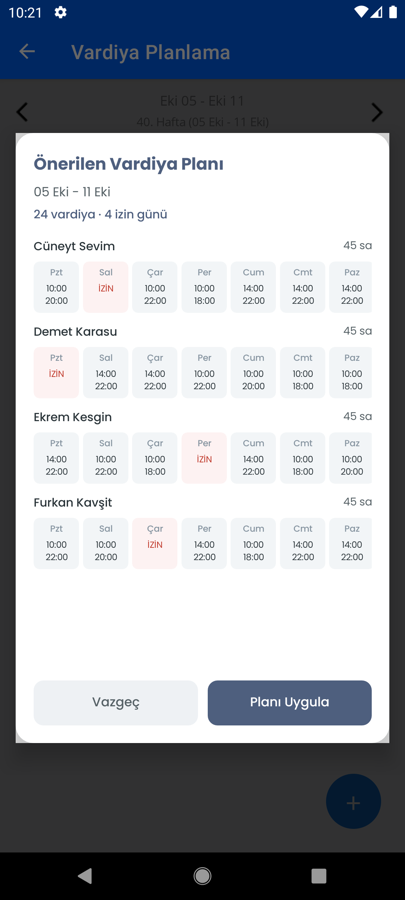
The store manager taps “Auto plan”; the plan is prepared taking night shifts, weekends and preferred patterns into account. A preview is shown and nothing is saved without approval.
- Rest days are spread fairly across people
- If there is a pending leave request, you are asked to resolve it first
- The plan goes for approval just like a manually entered one
Preview
Check before saving.
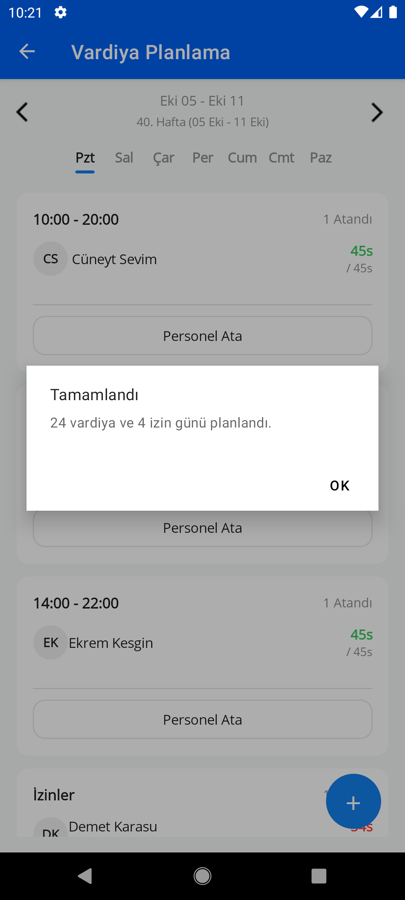
Approval
The plan is sent for approval.
About Mobile Plus
How do I sign in?
With your Customer Code (your company’s code), your username or e-mail and your password. Quick sign-in by SMS code is also available. Ask HR or your manager for the Customer Code.
Do I need an internet connection?
Yes. The app works live with the Portal; clock-ins, leave and approvals are recorded instantly.
What if I scan the QR code away from the store?
The record is kept with the distance noted, and it goes to your manager for review.
Why does it ask for microphone access?
Only for dictating to the assistant. Speech is turned into text by the phone’s iOS or Android speech recognition service; the app does not keep audio recordings.
Let’s plan a short demo for your store team.
Try the app together with a real store scenario.