
Your teams’ daily work, on one platform.
Yetkin runs everyday work on the web portal and mobile apps, connected to your ERP: shifts and attendance, tasks and checklists, leave and payroll, till and day end, sales and customer requests. Records stay in your ERP; who has the work, when it will be done and who approved it is visible in Yetkin.
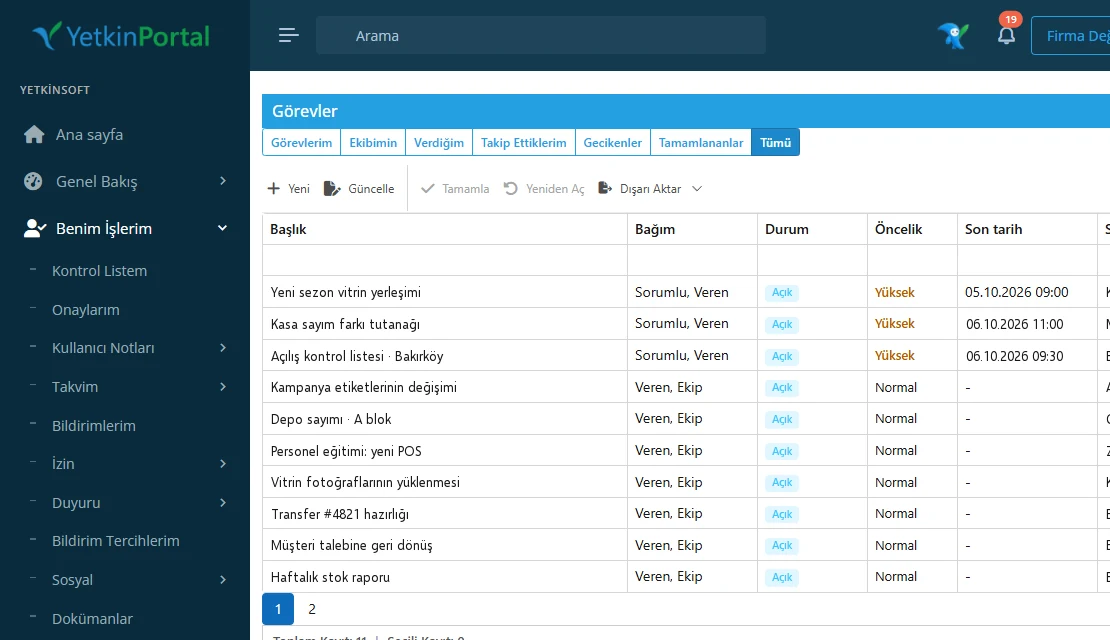
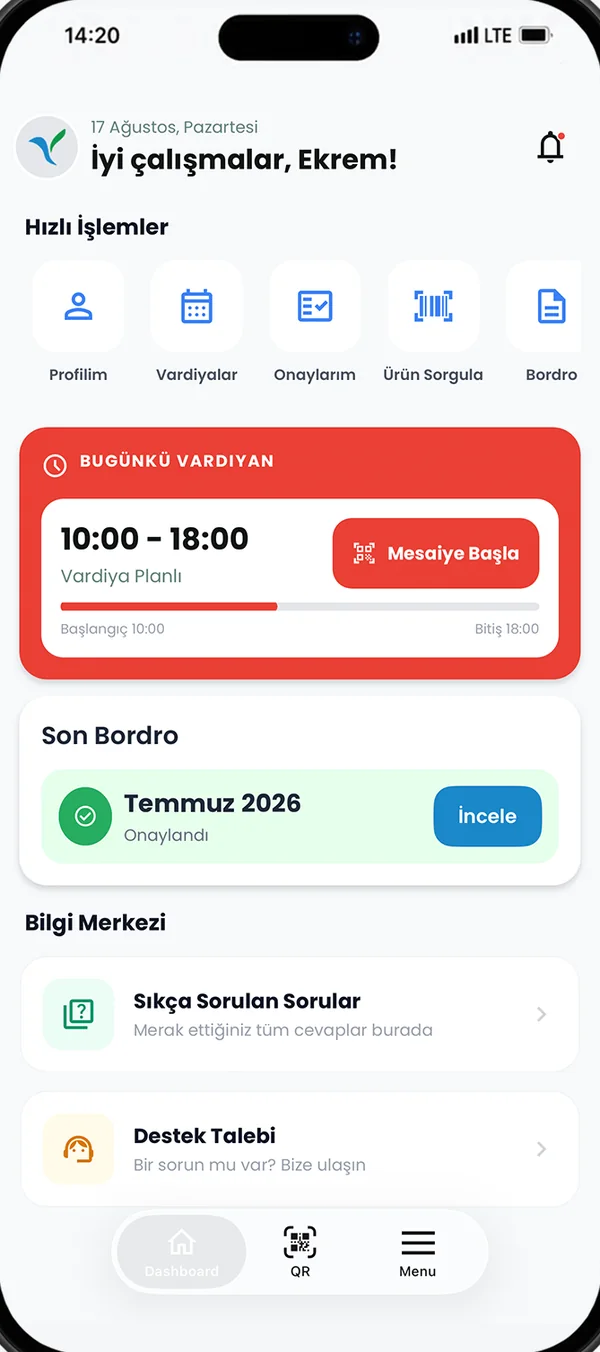
What you can do with Yetkin
We started where everyday work slips most often. Which of these sounds familiar?
Everything an employee needs, in their pocket
Attendance, shifts, leave, payslips and requests in Mobile Plus; manager approval in one tap.
See how it works“Did the store open on time?”Clear work from head office to store
Tasks, checklists and photo evidence; head office sees what is still open in every store on one screen.
See how it works“Where did the till difference come from?”Till and day end on one line
The cashier’s declaration, the till Z report, bank transactions and the ERP record are compared on one screen.
See how it works“Who is the customer request waiting with?”From request to quote, with consent
Requests from web and ad forms are assigned to an owner; communication consent sits in the same record.
See how it works“When will the hemming be ready?”Alterations and repairs in one record with the customer
The customer opens the request by QR and approves by SMS code; store and service follow the same record.
See how it works“Did the invoice reach the customer?”e-Invoice, e-archive and payments
The e-invoice draft goes to the relevant integrator and a payment link is created; accounting records stay in your ERP.
See how it works“What was our return policy again?”Ask your company knowledge
The assistant finds the answer in your company’s articles and shows its source.
See how it worksEarly access“What did this sale earn me?”Transparent, rule-based incentives
Built together with pilot stores; how every figure was calculated is on screen.
See how it worksYour ERP is your company’s memory; Yetkin is its daily rhythm. Records stay in the ERP; who has the work, when it will be done and who approved it is visible in Yetkin.
We don’t replace your systems; we connect them to a way of working your teams use every day.Three products, one way of working
Every product runs on the same Portal services. When a rule or an approval flow changes in Portal, web and mobile work from the same definition.
Yetkin Portal
Web portal for head office teams- Employee, operations and finance modules
- Approval flows and reports
- Connected to your ERP and 30+ providers
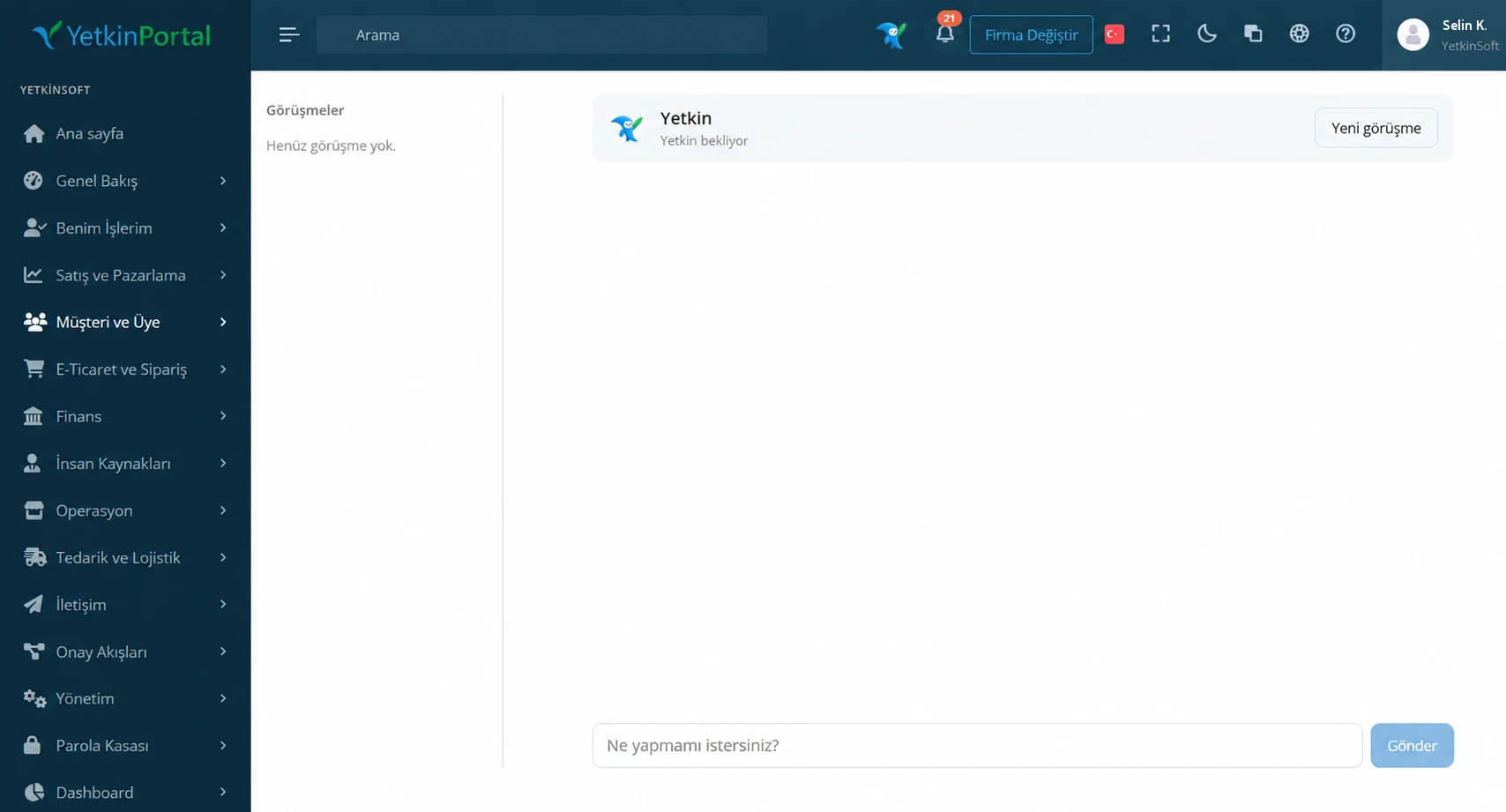
Yetkin Mobile Plus
Mobile app for employees- Clock in by QR, NFC or location
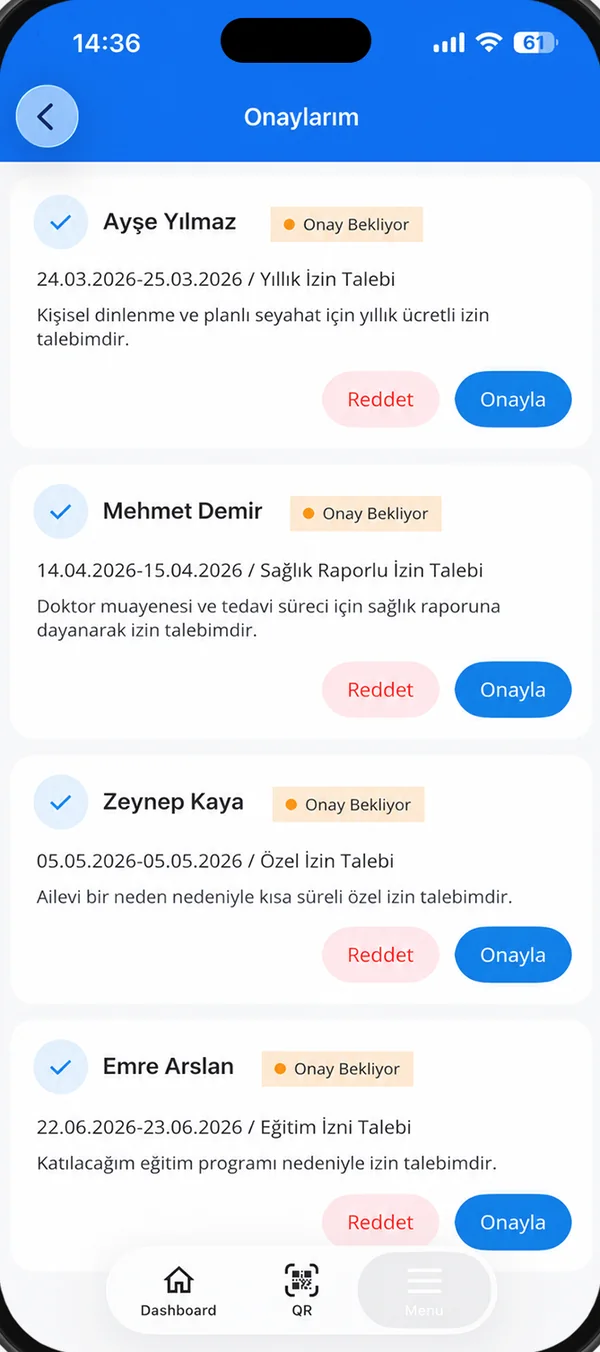
- Shifts, leave, payslips, approvals
- Get things done by chatting with Yetkin Assistant
Yetkin Mobile Partner
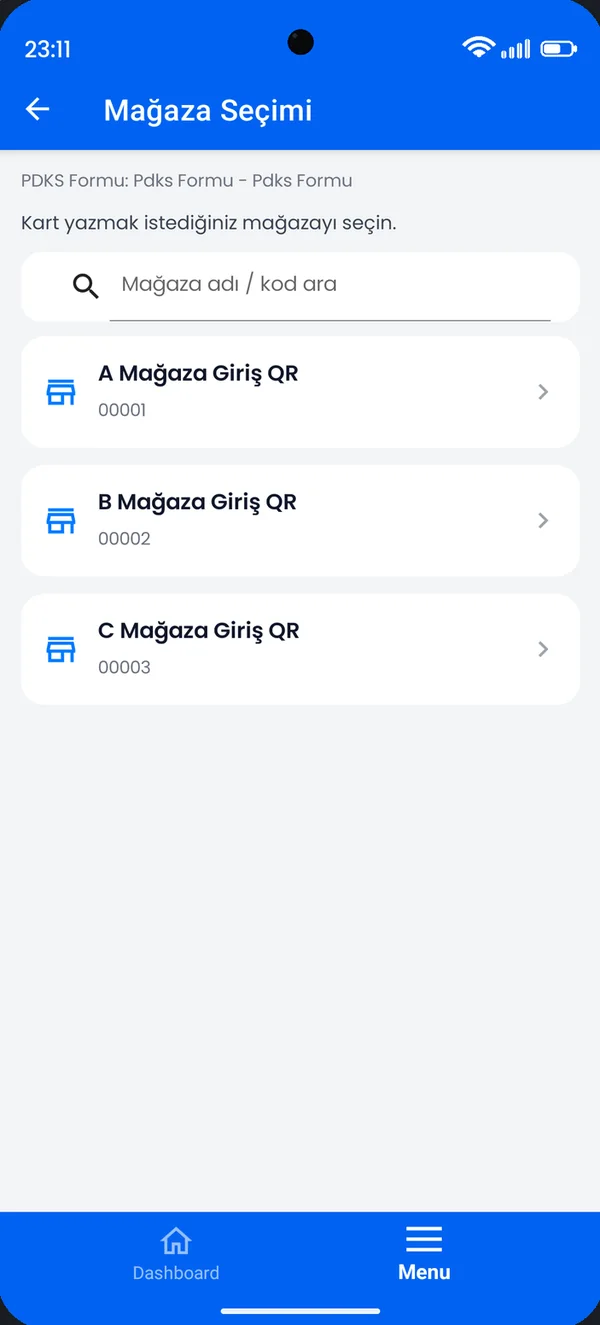
Field app for business partners- Setup and card pairing
- Role-based field screens
- Shared task and request screens
ERP connections: in use, in final stage and in progress
Every role sees its own screen
One system, three points of view. Users see only the screens and actions their role allows.
Clock in with one tap
Clock in by QR, NFC or location; your weekly shifts with exact hours, in your pocket.
Leave and payslips at hand
Request full-day or hourly leave; approve your payslip with an SMS code.
Just type it to the assistant
Type “leave tomorrow 11–12”; the assistant asks, summarises and waits for your approval.
Every store on one screen
Tasks, checklists and approvals tracked store by store.
Automatic shift planning
The week’s plan is prepared with one button; you preview and approve.
One inbox for approvals
Leave, overtime and plan approvals on one screen, with reasons.
Integration without touching the ERP
One ERP layer and a traceable queue; provider-independent connectors.
Permissions, vault, audit
Every screen is tied to a permission; secrets in a vault; key actions in the audit log.
Controlled AI
The assistant connects to permitted tools, not to the database; personal data never goes to the model.
Let’s grow your store sales together
Sales associates see on their phone what every sale earns them, the moment it happens; store managers know how far they are from target. We are building a transparent, rule-based incentive engine together with pilot stores.
- Every figure comes with a “how was this calculated?” answer
- Budgets are simulated in advance, rules are versioned
- AI suggests what to do next; the rules calculate the payout
From opening to closing, everyone on the same page
A short walk through how Yetkin works in a retail chain.
Shift starts
The team scans the store’s QR code; it matches the shift plan.
Mobile PlusOpening checklist
Completed with photo evidence; head office sees it instantly.
Mobile Plus · PortalTask from head office
New-season layout goes to 48 stores; each one’s status is tracked.
PortalCustomer question
The sales associate scans the barcode; stock and promotions come from the ERP.
Mobile PlusEnd of day
Till declaration and reconciliation go for approval; the shift closes.
PortalYour company’s knowledge, the moment it’s asked for.
Write your workflows, rules and policies once in the Document Center. A sales associate types a question while the customer is waiting; the assistant finds the answer in your own article and shows the source.
- Shows the source: article and section in every answer, the full article one tap away
- Respects permissions: everyone gets answers only from articles open to them
- Doesn’t guess: if the article has no answer it says so, and opens a support request with your approval
- Protects data: personal and financial data is not sent to the model

If the sale can be found by the customer’s phone number or card, the return is accepted. If not, no cash refund is given; offer an exchange or a gift card.
Open article →A growing ecosystem
You know your customers. Let’s build the solution together.
Bring your industry experience together with Yetkin Ecosystem’s solution approach. From defining the needs to rollout and user adoption, let’s create value together.
Referral and sales
Introduce the customer or run the sales process; your opportunities are protected.
Setup and implementation
Stand by the customer with role definitions, data mapping and training.
Training and certification
Module-based training; certified partners are authorised to sell.
Growing together
A fair and traceable share of subscription revenue.
Common questions
Is Yetkin an ERP?
No. Yetkin is a way of working that completes your ERP. Accounting and stock records stay in the ERP; tasks, approvals, shifts, employee requests and communication run in Yetkin.
Which ERPs does it work with?
The Nebim connection is in use. Logo, SAP and Mikro connectors are in the final stage; we are working on Microsoft Dynamics 365 and Oracle connectors. For other systems we look at the provider-independent integration layer together.
How long does setup take?
It depends on scope. The first phase plans the modules we choose together, role definitions and user training. The mobile setup wizard prepares a new company in minutes.
Is our data safe?
Every screen and action is tied to a permission; secrets are kept in an encrypted vault and actions are written to an audit log. Yetkin Assistant does not send personal or financial data to the AI model.
Is the product available in English?
The Portal interface is available in Turkish and English; shared mobile screens support six languages. Our legal texts are published in Turkish.
Let’s talk about your own scenario.
In a 30-minute call we listen to your needs and walk through an example flow that fits you.